Skip to content

How it works

Four steps between signing up and your first session.

How long it takes is mostly down to how quickly you can answer a few questions about yourself. Here is each step, start to finish.

Get the app

The four steps

01

Create your account

Sign up with an email address, or with Google or Apple. Nothing to pay and no card asked for — a subscription only comes up later, if you decide you want fresh plans more often.

  • Email, Google or Apple sign-in
  • No card at sign-up
  • You can delete your account from the app at any time

02

Tell us about you

This is the part that shapes everything else. The questions are short and specific, because your answers are what make the plan yours instead of a template.

  • Your goal: lose weight, build muscle, get fitter, or a bit of both
  • The basics — age, height and weight — so your targets start from you
  • Where you are starting from: beginner, intermediate or advanced
  • How many days a week you can train, and how long a session can run
  • The equipment you can reach, the food you would rather skip, and anything you are working around

03

Generate your plans

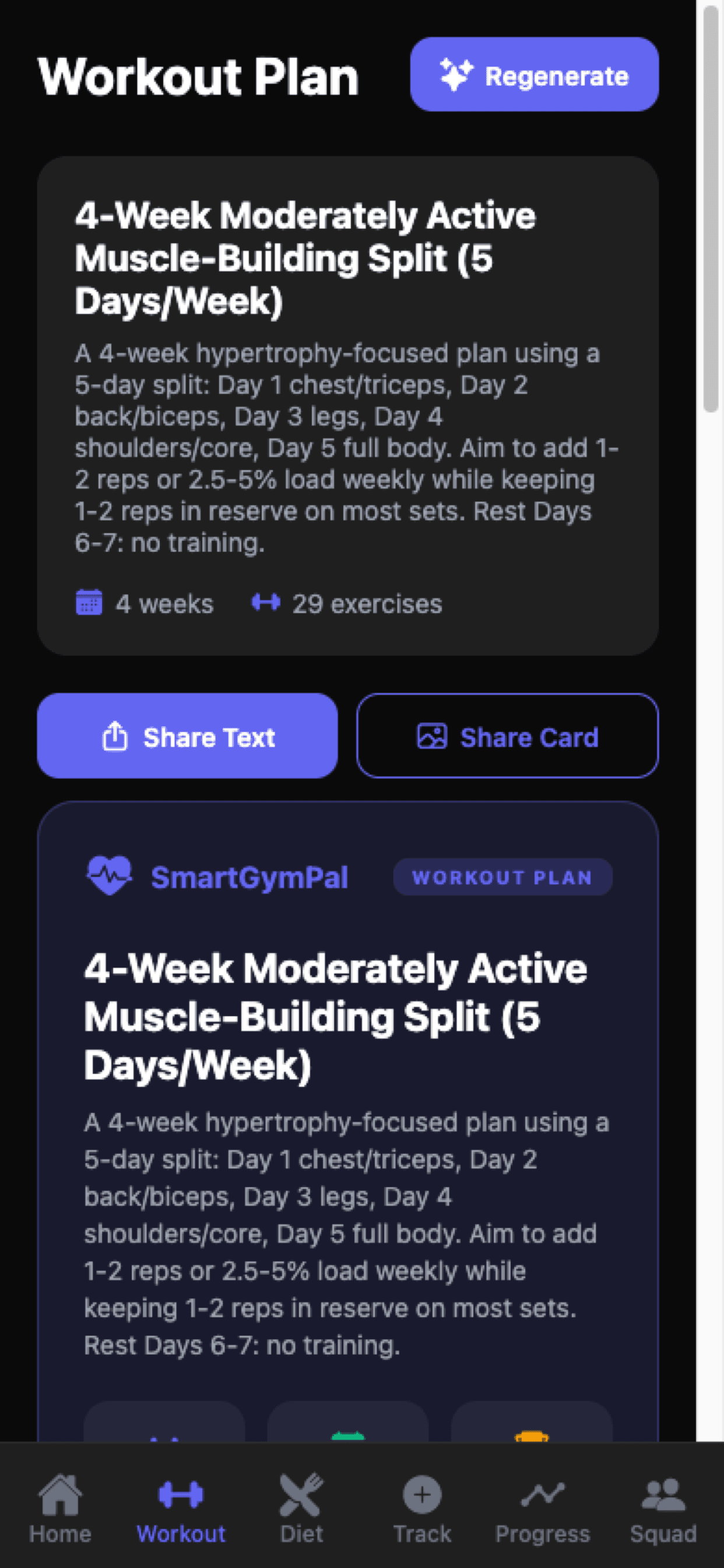
Tap generate on the Workout and Diet tabs and both plans are written around the answers you gave — a training block for your week, and the meals to go with it.

  • A training split sized to your days and session length, with warm-up, main lifts, accessories and an optional finisher
  • Sets, reps and rest written out, progression notes, and a lighter deload week built in
  • Daily meals with ingredients and prep time, a grocery list for the week and a daily water target
  • Read the whole thing before you start, and generate again if it is not quite right

04

Log the work, then look back

The plan is the easy part; turning up is the rest. Track is where the day goes in, Progress is where the week takes shape, and the check-in gives you something to read back.

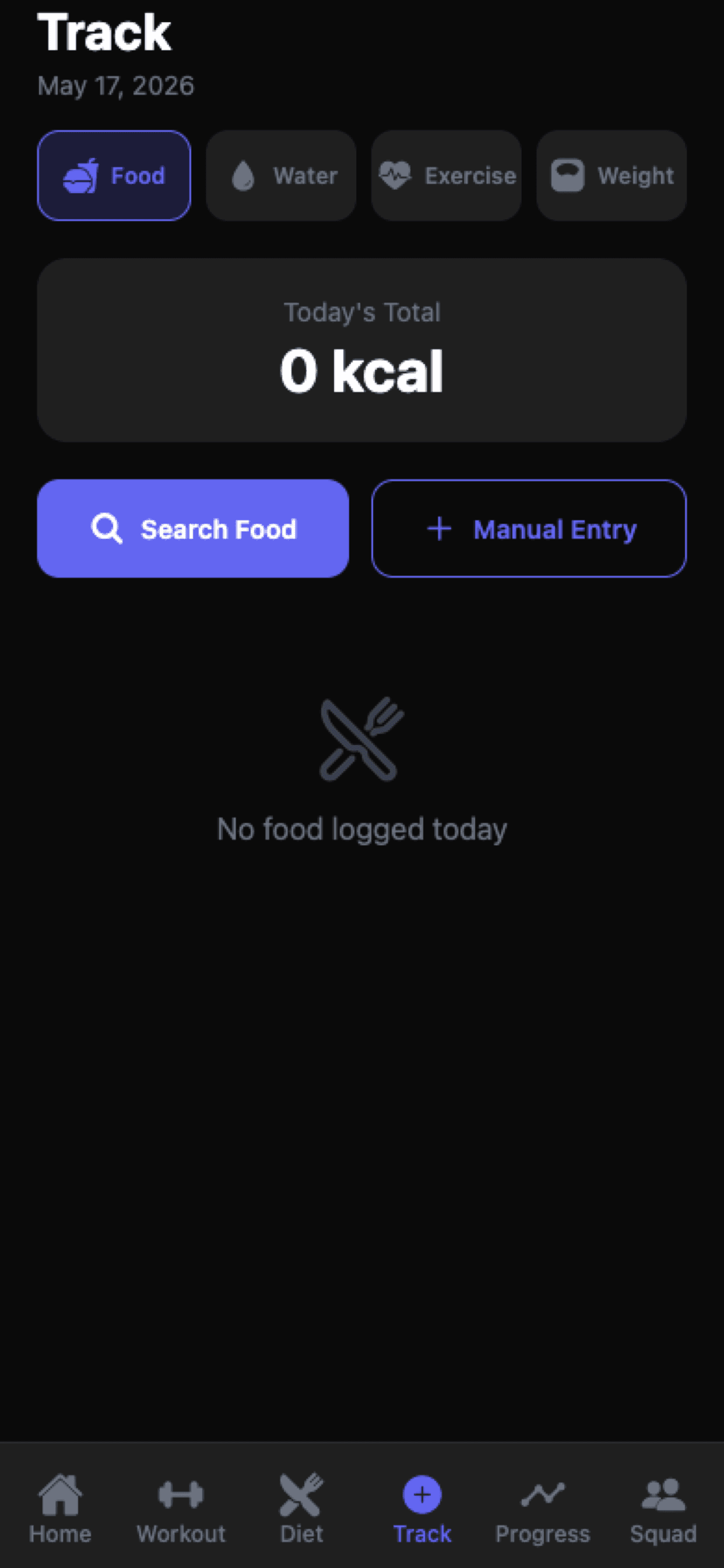
  • Log food, water, exercise and weight from the Track tab or straight from the home screen
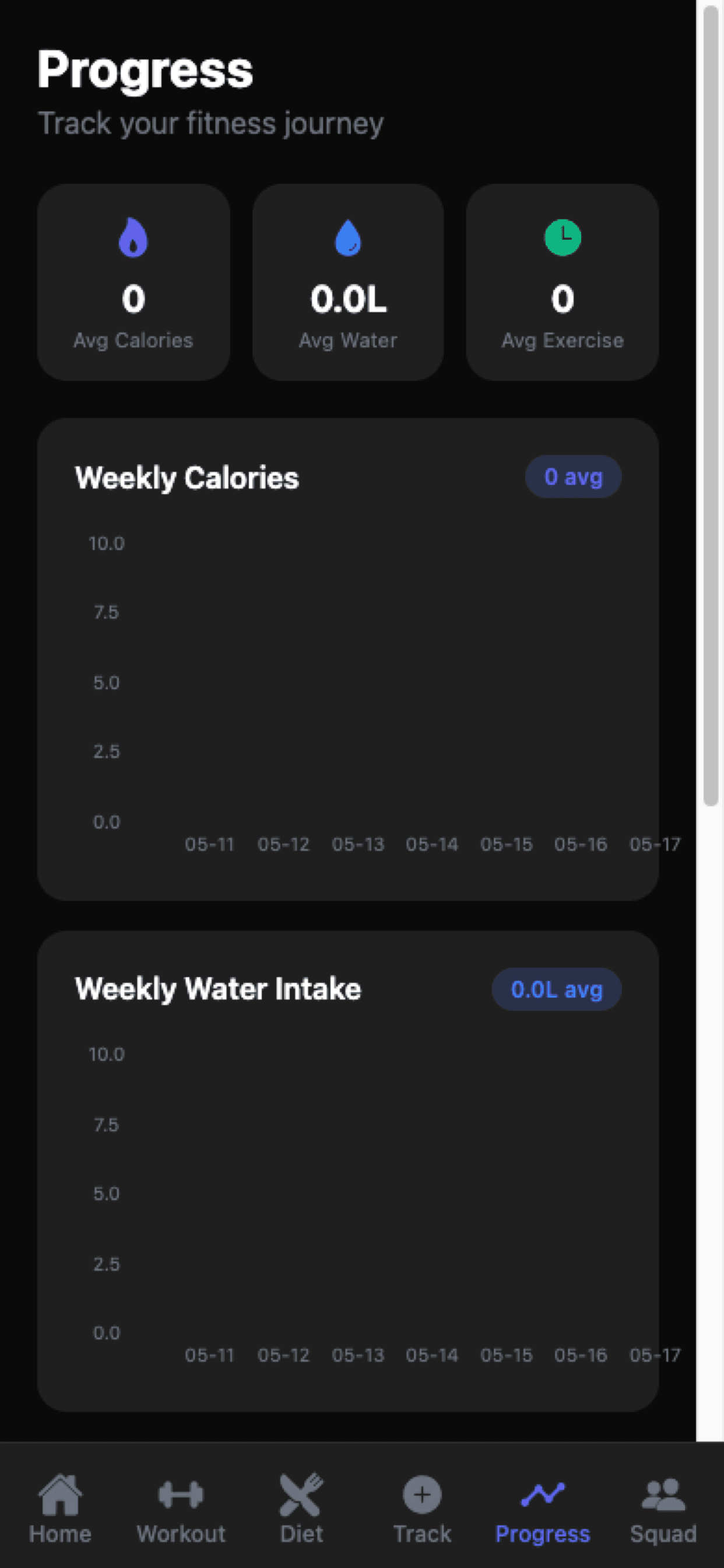
  • Weekly calorie and water charts, plus your averages, on the Progress tab
  • A weekly check-in on weight, sleep, energy, soreness and notes, answered with written coach feedback
  • Generate a new plan when your goal, schedule or equipment changes

Before you start

Why the questions are worth answering.

Your goal

Losing weight and building muscle need different plans. Telling us which one you are after is what makes everything else useful.

Your week

A plan for five evenings is no help if you have three. Sessions are sized to the time you actually have.

Your equipment

Full gym, a couple of dumbbells at home, or nothing at all. You only see movements you can do with what is around you.

Your food

Your preferences and the things you do not eat carry into every meal, so the plan is something you would genuinely cook.

Read it first

Nothing starts until you have had a look. Scroll the whole block and every meal before your first session, and generate again if it is not right.

Yours to change

Your plan stays exactly as generated until you decide to replace it. Nothing rewrites itself behind your back.
On the phone

Where each step lands

Workout plan screen showing a generated four-week split with a regenerate action
Step 03 — your training block
Track screen with Food, Water, Exercise and Weight tabs above today's calorie total
Step 04 — logging the day
Progress screen with weekly calorie and water charts and weekly averages
Step 04 — how the week looks

Start

Step one is just an account.

Free gets you your first workout plan, your first meal plan, and every logging, progress and squad screen in the app.